
Navigation & Essentials
In this guide I will go over the whole Home Screen showing you where everything is and what it is
Some parts will be explained further in another guide and in those cases I will attach a link in the header.For the less complex features I will do a brief guide here!
Home (Top)
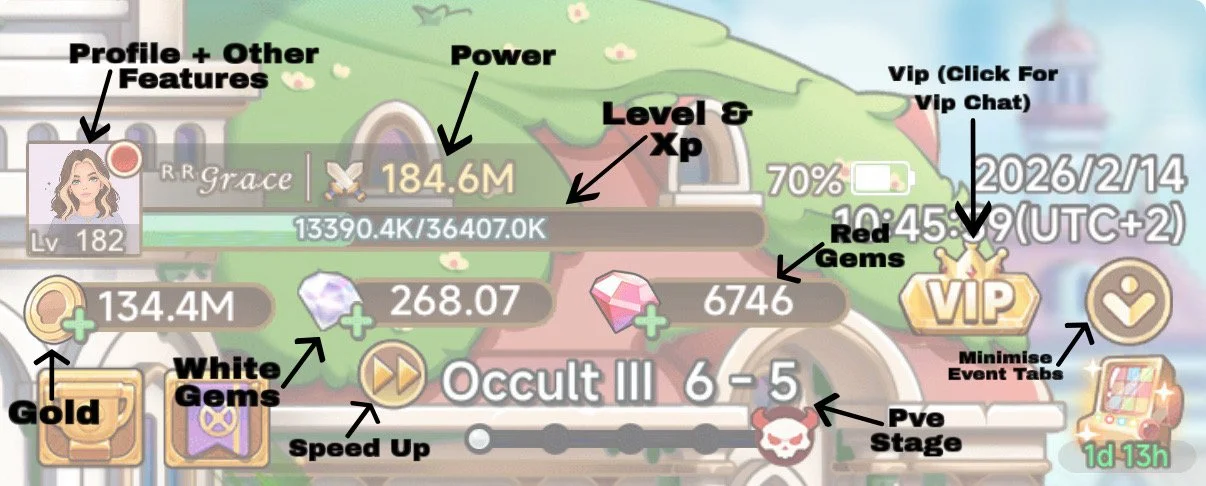
-
Power
This is made up from everything you have equipped and any passives
It is used to decide your base stats in Drakebone and set your Durability in Sailing Season. These will reference your ‘highest achieved’ power, which you can manipulate by building a specific power boosting set using Evasion/Regen gear (and other tricks)—————
Level & XP
XP is earnt from using your Lamp
The stats given by your Gear are dependant on this. Every 10 levels (101,111,121 etc) the stats on your Gear jump up
There is also a PVP DMG reduction which references your, and your opponents levels—————
Gold
You earn Gold from killing monsters on the main screen and from rolling your Lamp
(Can also be bought from several shops however it is not advised often)—————
White Gems
These are 1:1 with currency for the game so can be used on anything costing $£
You can ‘buy’ these in game or via the website (Website is best as can give bonuses!)
More info on obtaining White Gems can be found here—————
Red Diamonds
This is the main currency used throughout the game
They can be aquired from many places so I won’t bother listing
There are some particular things you will want to buy with these, more info on this can be found here—————
VIP
When you have spent a certain amount of $£ you can obtain VIP status - This amount changes depending how old your server is
This gives you access to Staroom Chat in-game and Starlight Chat on discord. These two chats have various uses such as finding out event info early or getting effect explanations. Can also be used to get help on any problems!—————
Speed Ups
Speeds up battles (PVE & PVP)
Great if you’re pushing PVE or just to speed up your PVP attacks/replays
These require Ads to use, 2 are always available and 1 extra everyday in Parking Shop - 2 more can be available with the Lifetime Pass—————
PVE Stage
This is the main PVE content
There are multiple Chapters with 10 sections each having 10 Bosses and 10 Stages
Here you can view where you’re up to!
(The highest reachable at time of writing is Reckoning X)
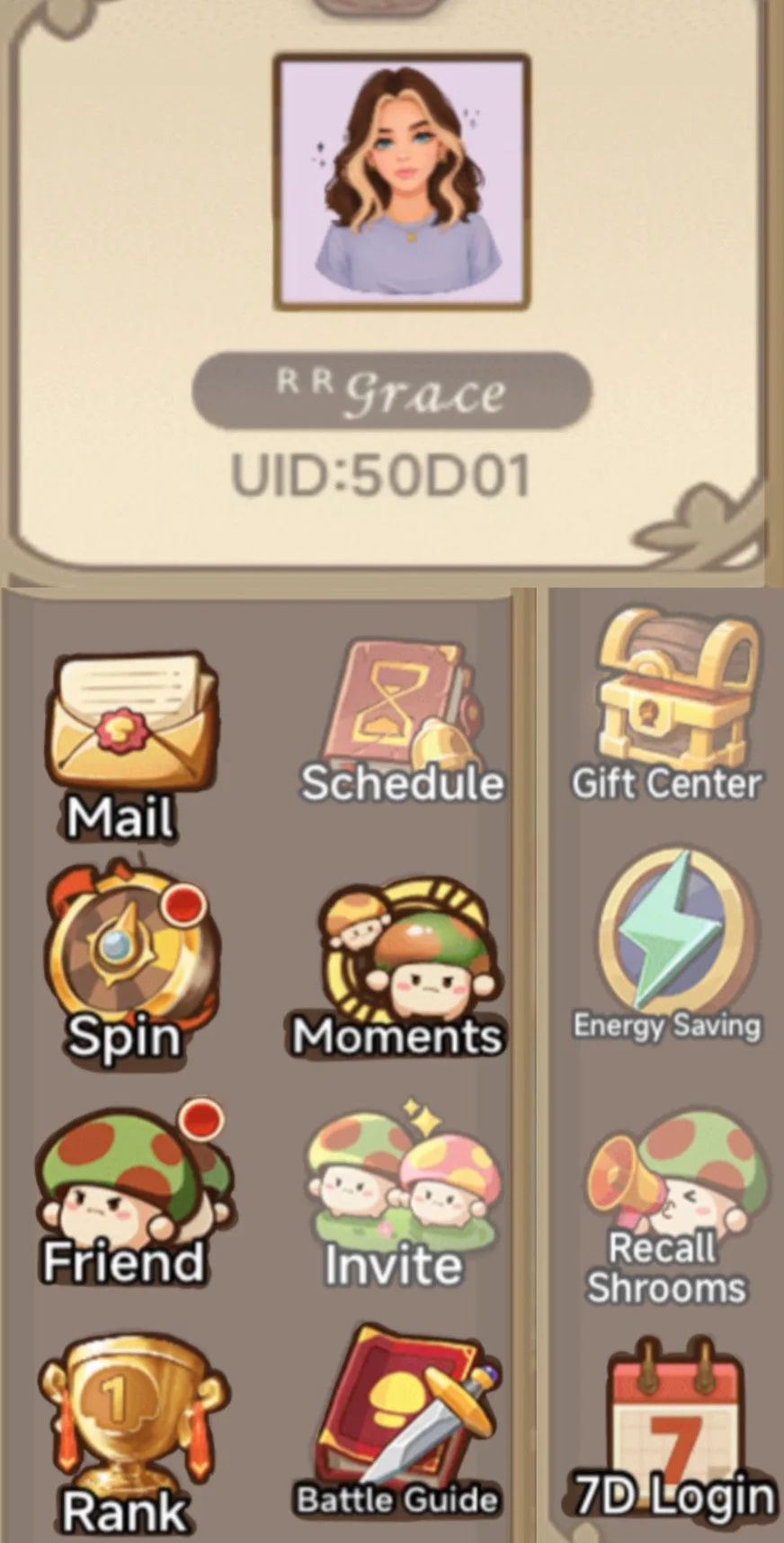
Profile + Other Features
In the top corner you can click through to here where there is a few more things to briefly cover!
-
Picture
This takes you to your ‘Profile’. In here are 3 Pages;1. Character:
Appearance/Support/Redeem Codes (Discord Link)/Change Name/Gender/PFP
2. Costume:
When you purchase a Costume (Costumes give Global Bonuses) you can unlock it in here
3. Settings—————
Mail
If this has a Red Dot then go to claim whatever has come. Most rewards are claimed here—————
Spin
Try to do this all 5 free attempts daily for extra rewards but not majorly important—————
Moments
Social platform/way to track other players not in your server—————
Friend
Your Server friends, collect daily gold—————
Rank
Your Stage PVE Rankings/Family Rankings both in your Server and in that weeks Cross-Server—————
Battle Guide
Rules of PVP + run downs of the reductions—————
7D Login
Try remember to claim this daily—————
Schedule-Invite-Gift Center-Energy Saving-Recall
Not important but take a look
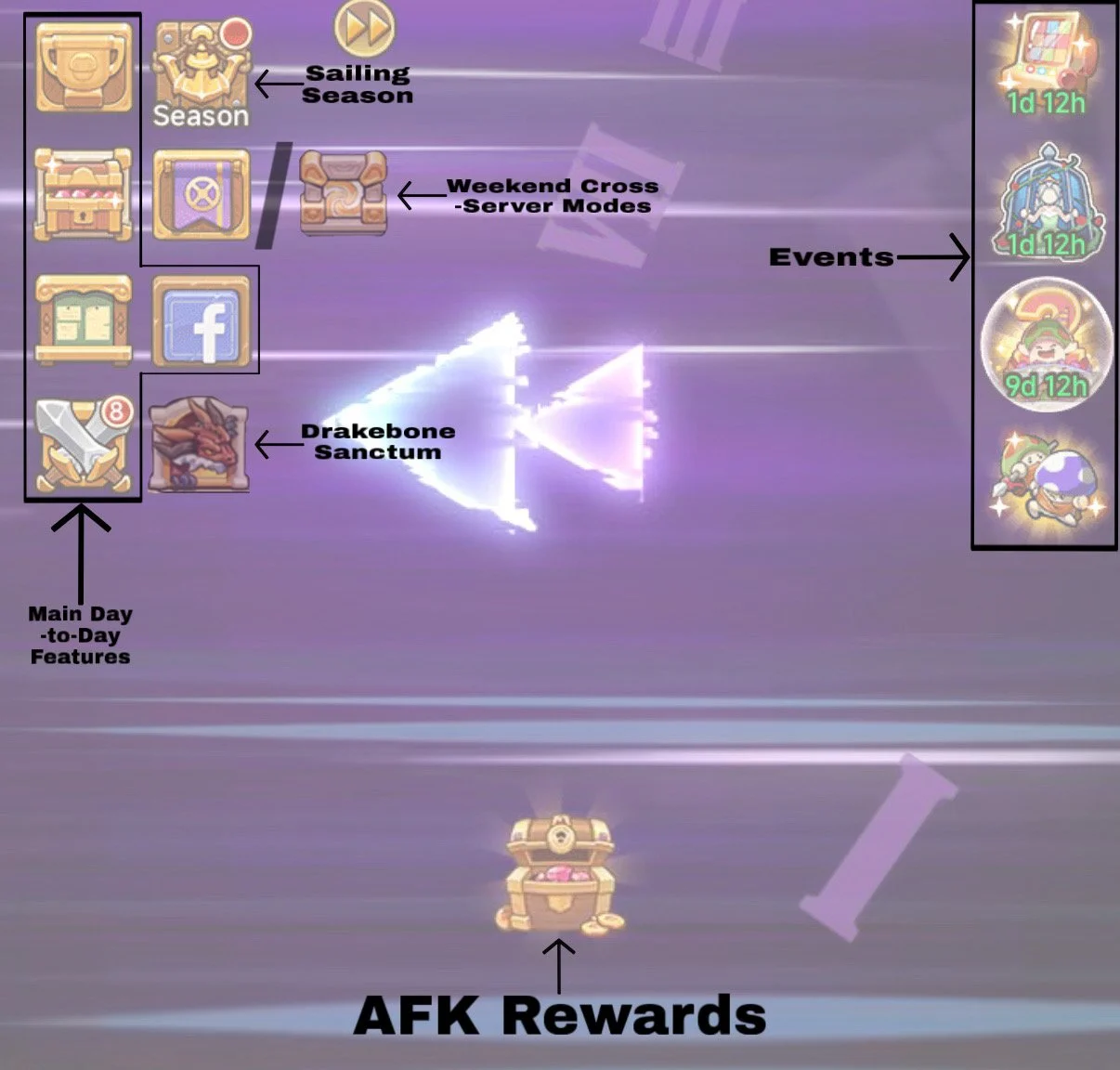
Home (Middle)
-
Rushes (Trophy)
In here you will find;
Rushes & Rush Calendar, Rush Shop-> Sky Rider Shop & Feather Shop
For more info on all these please visit here—————
Gifts (Chest)
In here you will find;
Battle Pass, Privilege Cards, ‘Event’ Offer Packs
For more info on all these please visit here—————
Share (Fbook Icon)
Some event quests will require "Share Game Once”, you will do that through here
Note: You don’t actually have to share just click the button and the challenge completes—————
AFK Rewards
Remember to claim this always, 3 Ads are available to claim more!—————
Events
There are many many different events, some are game modes and some are ‘spending’ events
For more info on all events and game modes visit here
Tasks

In here you will find; “Task”, “Handbook” and “Achievements”. These are mostly natural progression based and a red dot will appear when there is something to claim
-
Tasks
These are daily tasks giving some extra gems and rewards. There are 3 tasks to ‘Defeat Monsters’ 50, 100 and 150 times. These 3 tasks reward ‘Pact Coins’ which are quite rare so make sure to complete these daily!
—————
Handbook & Achievements
These ones can’t be sped up and will just happen as you progress through the game
The Handbook is based on Skill and Pal levels and will reward ‘Additive Bonuses’ upon each completion
Achievements has some nice rewards for a large Array of tasks. There is a few that are worth noting for early players which are;
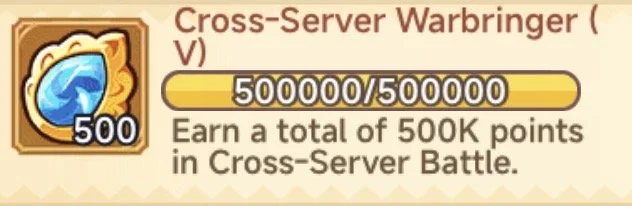
1. “Cross-Server Warbringer”. This challange set offers ‘Cross-Server Crystals’ which can be used to buy some important Pink Skills. Earlier you can complete these the quicker you can get your skill!
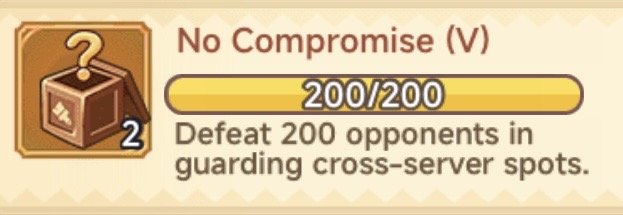
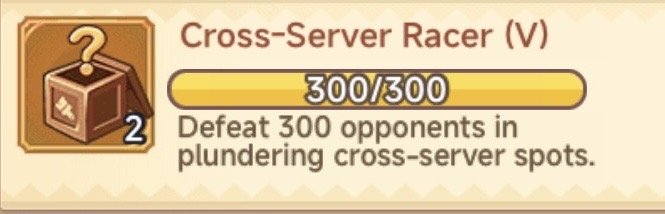
2/3. “No Compromise” and “Cross-Server Racer”. These challenge sets reward Random Parking Decoration boxes which can give some great bonuses early on!
Arena
In here have; “Arena” which is just your server and, “Cross-Server Ranked Match” which is split into groups across your region
-
Server Arena
This Arena is just between you and server mates, it lasts 1 week before resetting and there is Daily and ‘Season’ Rewards
The rewards here are just a few Red Gems and Seeds so it is not super important
You can earn more tickets via spinning your Lamp
—————
Cross Server Arena
This Arena is much more important especially early on. You will be split into groups within your Ranks. Higher rank is more rewards so you want to try progress as far as you can. These have 2 rounds per week and you get 5 attacks per day
—————
This is located next to the “Random Challenge” button in Cross Arena
There are many things you can buy here and I will go over the best here, however early game you want to focus 2 other things one at a time:
Awakening Crystals
These are the first priority and you will need 6 to complete awakeningSoul II
These are the next priority and you will need 8 to get all your Pink Souls
1
"Awakening Crystals”
2
"Soul II”
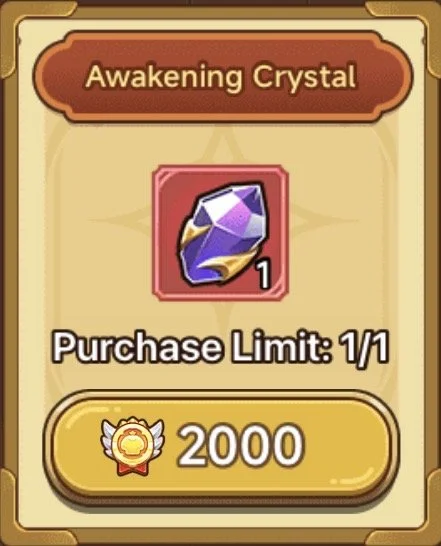
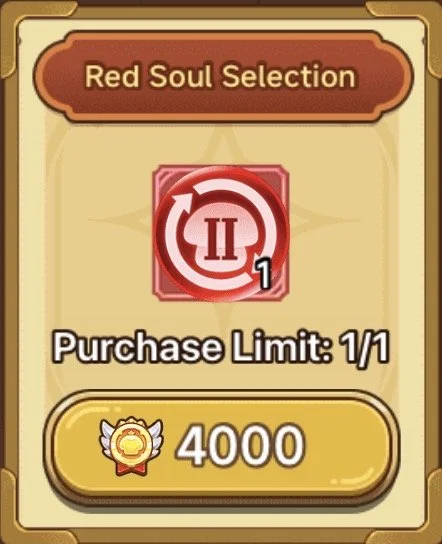
Note: They can be found here for $£
Note: They can be found here for $£
Home (Bottom Pt 1)
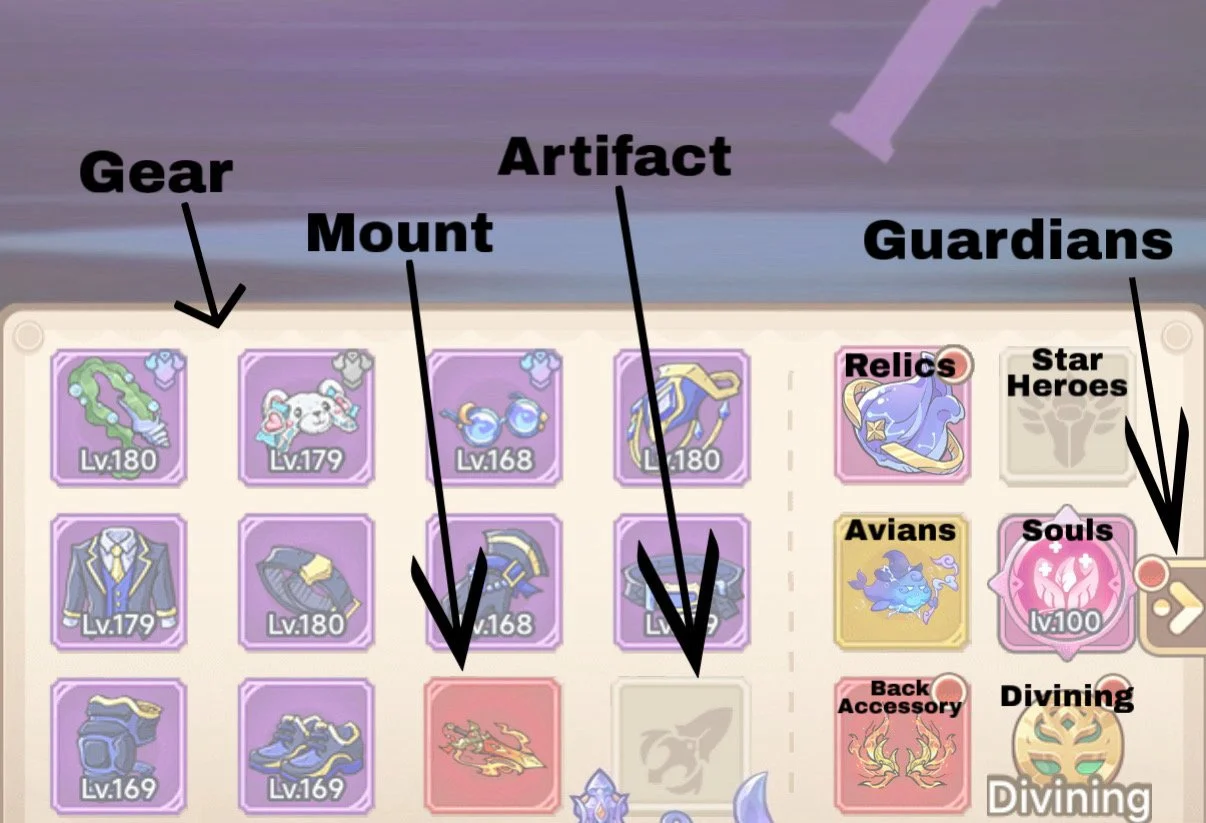
-
Gear
Only obtainable through you lamp
For more info on these vist here—————
Mount
In here is;
Upgrade, Empower, Advanced, Remodel
For more info on these vist here—————
Artifact
In here is;
Upgrade, Enchant, Morph
For more info on these vist here—————
Relics
These are in a Rush so make sure to hold onto them!
For more info on these vist here—————
Star Heroes
In here is;
Star Array, Star Hero List, Star Hero Draw
For more info on these vist here—————
Avians
A sometimes complicated feature to understand at first, let’s get you up to speed!
For more info on these vist here—————
Souls
How to get? Pinks & Bonus Stats? Here you also find Soul Trials
For more info on these vist here—————
Back Accessory
In here is;
Upgrade, Talent, Morph
For more info on these vist here—————
Divining
These are in a Rush so make sure to hold onto them!
For more info on these vist here
‘Guardians’
Through this arrow is another Section with more features
This error will likely continue to grow as we can already see 3 more placeholders!
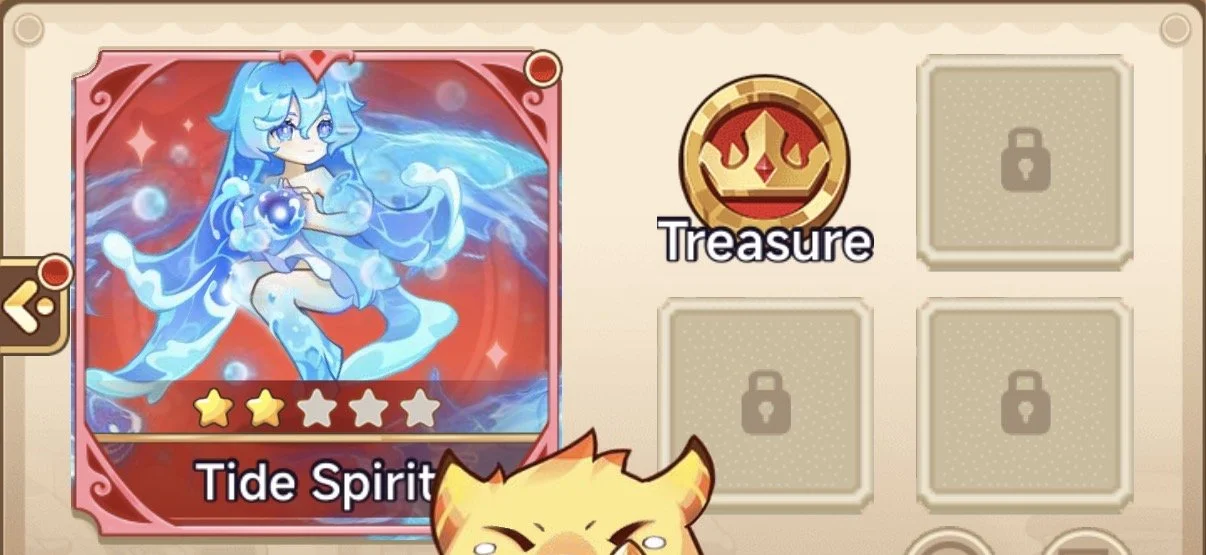
Bonus Information
Here are some extra things you can find in this area worth checking out!
Stats -> (i) Rundown of all
Here you can view all your stats
If you click the (i) in the top it will even explain what each stat is!
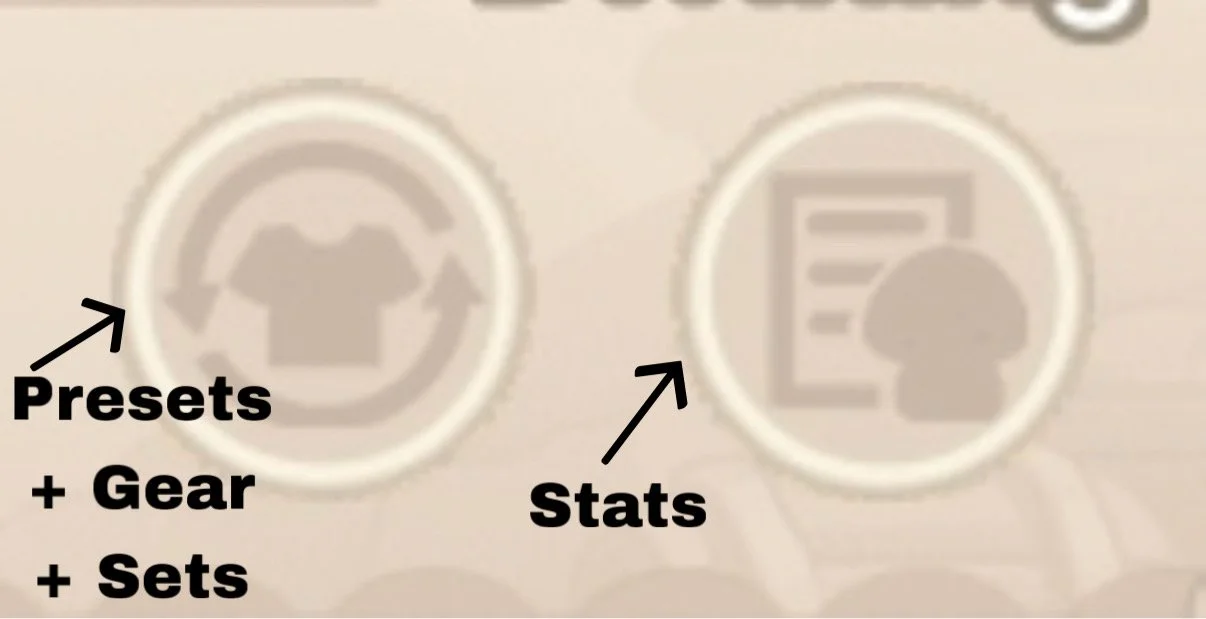
Presets/Gear/Sets
Here you can switch between and build up to 10 different Sets allowing more targeted builds for different situations or just for more then 1 class!
Gear plan is where you can view and switch between different Gear sets
Presets is where you can set different sets to automatically be equipped in different aspects of the game, make sure to have these correct so you don’t use the wrong one!
Home (Bottom Pt 1)
-
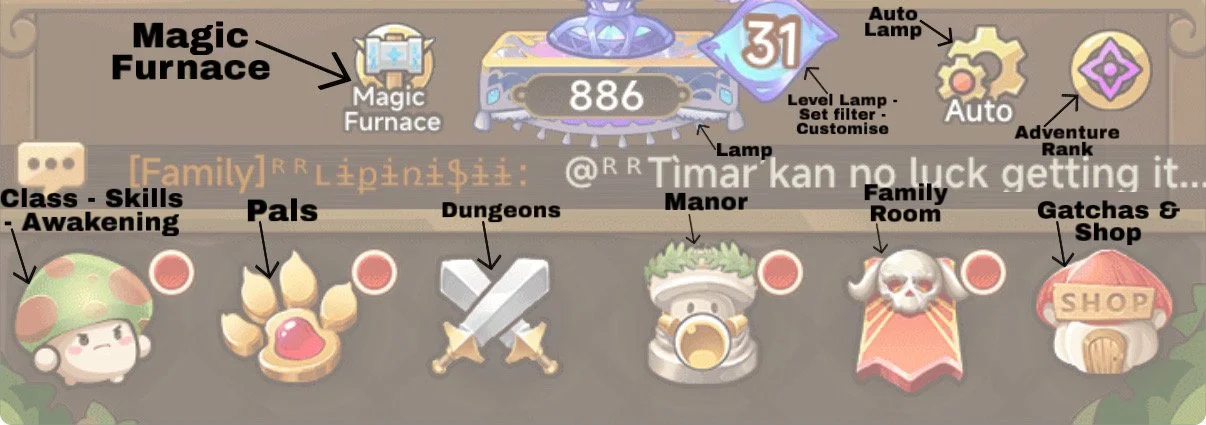
Magic Furnace/Lamp
These are some of the most important aspects of the game
For more info on these vist here—————
Adventure Rank
These are a series of tasks which will continue till you hit Grandmaster Tier. They proivde extra base stats too!—————
Class/Skills/Awakening
There are 3 Things in here;
1. Class
Here you can change class, view the passives and other basic info about your class
For more info on these vist here
2. Skills
View your Skills and build sets!
For more info on these vist here
3. Awakening
Build your awakening set ups!
For more info on this vist here—————
Pals
View your Pals and build sets!
For more info on these vist here—————
Dungeons
There are a bunch of different Dungeons in here with multiple rewards to be earnt
Learn what you will be getting and how best to deal with each Dungeon!
For more info on these vist here—————
Manor
This takes you to a screen with a bunch more stuff to do
For more info on everything here vist here
-
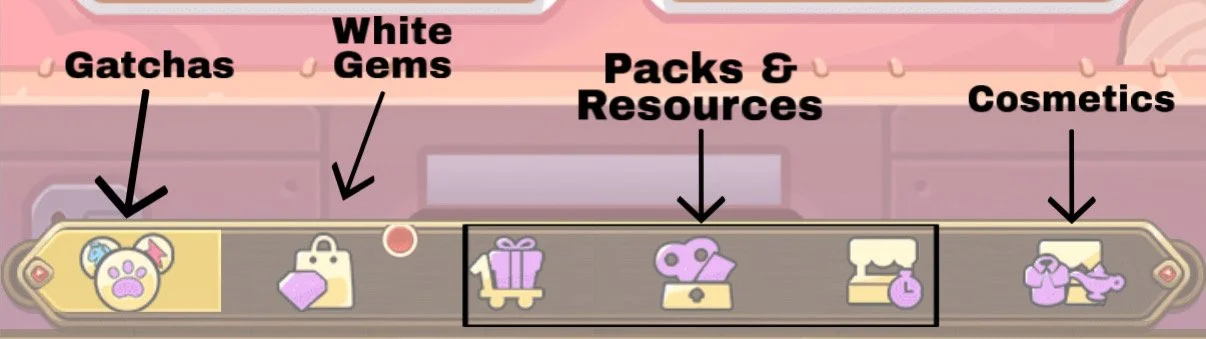
Gatchas
The main place to get Pals and Skills—————
White Gems
In here is where you can buy white gems, or in top corner you can go tot the website to get more!—————
Packs & Resources Red Gems - Packs & Resources White Gems
In here you can buy a range of Packs and resources. Some is useful and some is not worth it
For more info on these visit here for red and here for white—————
Cosmetics
These are costumes and weapons that are purely cosmetic and provide no game boost
‘Family Room’
This expands to another area with a bunch more things to cover!
-
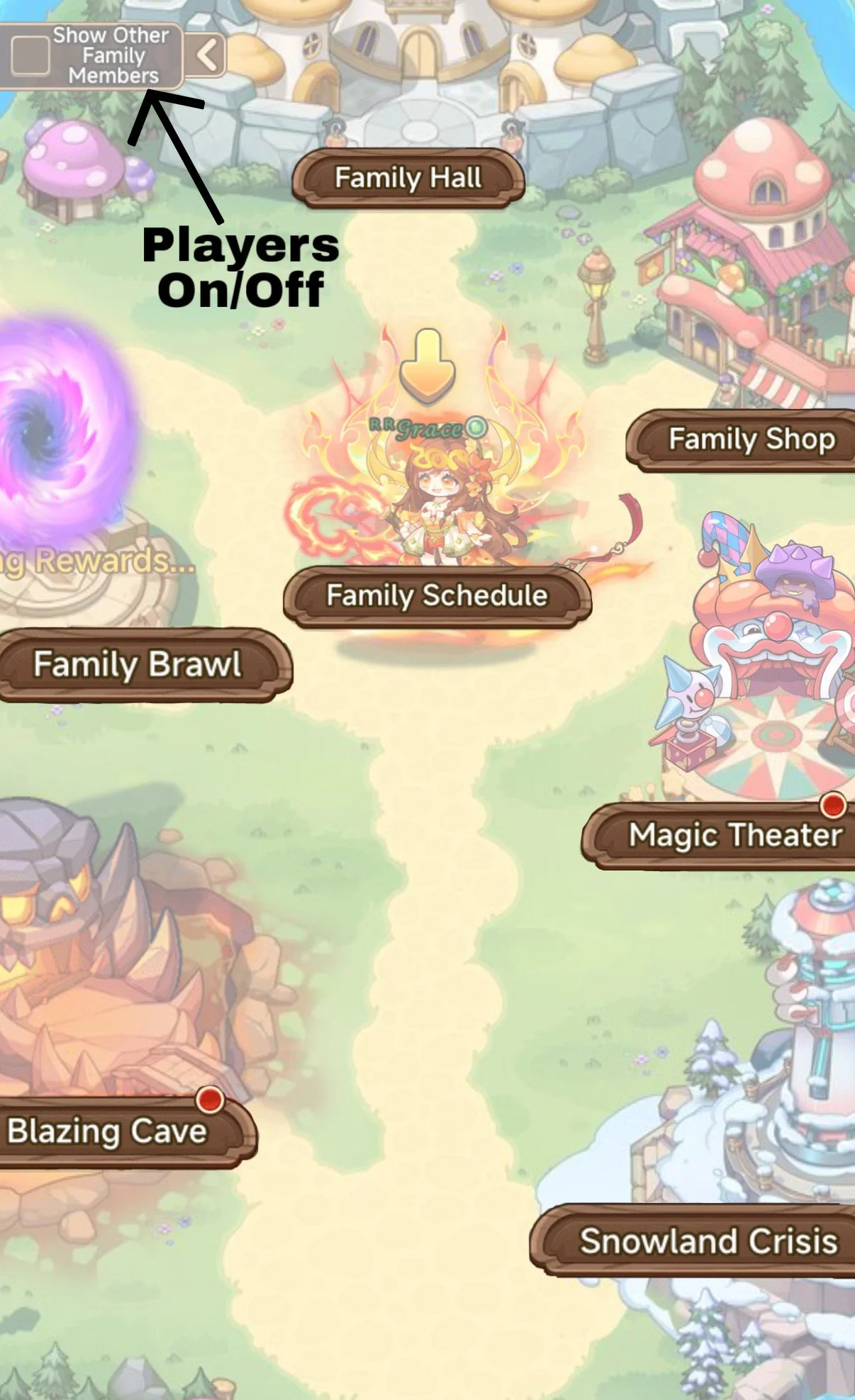
Players On/Off
Here you can switch the players in your family on and off allowing more visibility if lots are active at once!—————
Family Hall
Manage Family, view other members and Donate. Until your family is level 15 you should donate 5 times a day to help build its XP!
Being in a family is incredibly important, and it is best you’re in a bigger one then smaller so you can take advantage of more of the rewards/features!—————
Family Schedule
Here you can view the times and days of different events!—————
Family Shop
Lots of choices, some better then others, more options become available the higher the Families level
For more info on this visit here—————
Family Brawl
A Family vs Family 3 day mini event
For more info on this visit here—————
Blazing Cave
Another Dungeon like mode, ticket refresh every 8 hours
For more info on this visit here—————
Magic Theater
A solo dungeon, however this one is ranked weekly and included in Cross Server!
For more info on this visit here—————
Snowland Crisis
1-4 Player Dungeon with 10 Difficulties
For more info on this visit here